

Prepare your iPhone
1
Turn off location services
Open Settings, find Location Services under Privacy, and turn it off to prevent apps from reading your location.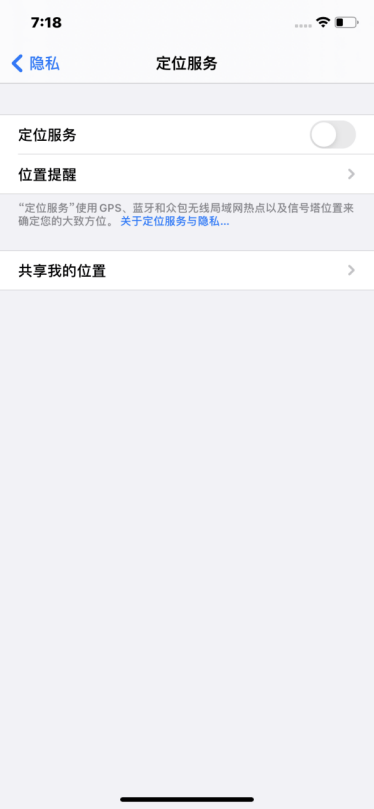
2
Set the date, time, language, and region
Find General and set your phone’s date and time to those of your target country or region. Choose a language other than Simplified Chinese, preferably your target country’s language, and set the region to your target country or region.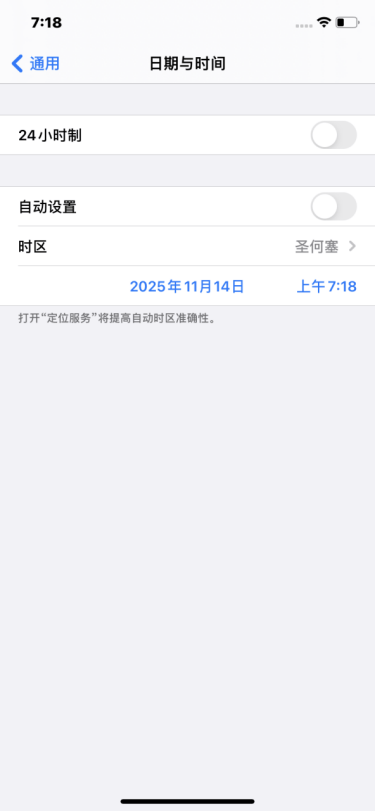
Connect your relay proxy
1
Scan and import the Shadowrocket QR code
Open Shadowrocket and tap the scan button in the top-left corner. On the MiyaIP website, open the relay proxy QR code for your purchased IP, select Shadowrocket, and scan its QR code to import the node.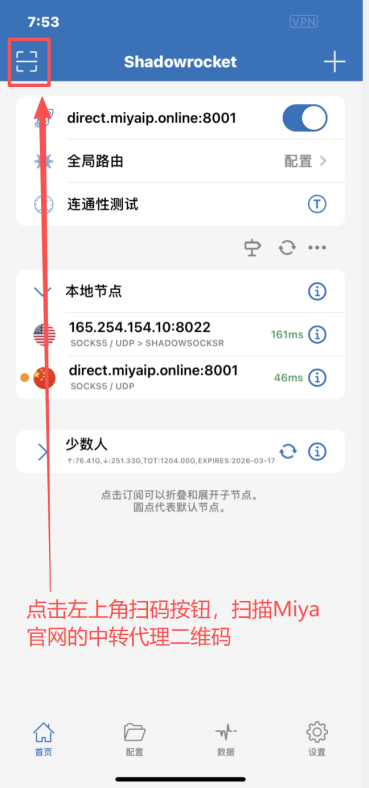
2
Start the connection
After importing the node, tap the rocket button at the top to start the proxy connection.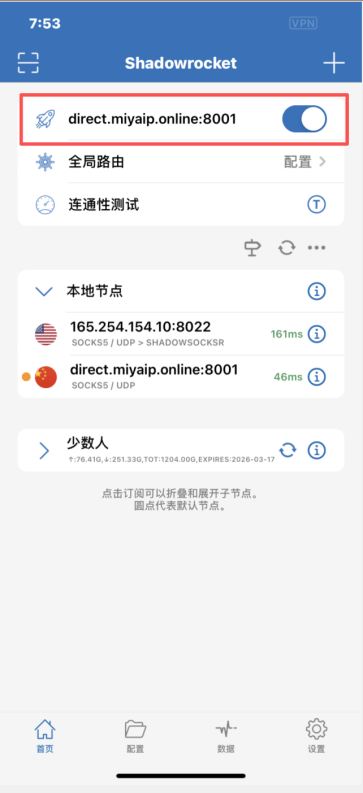
3
Check your exit IP
Enter whoer.net in the Google browser’s address bar. Check that the displayed exit IP and region match your configured MiyaIP proxy.