

- iOS
- Android
1
Disable location services
Open Settings, find Location Services under Privacy, and turn location services off.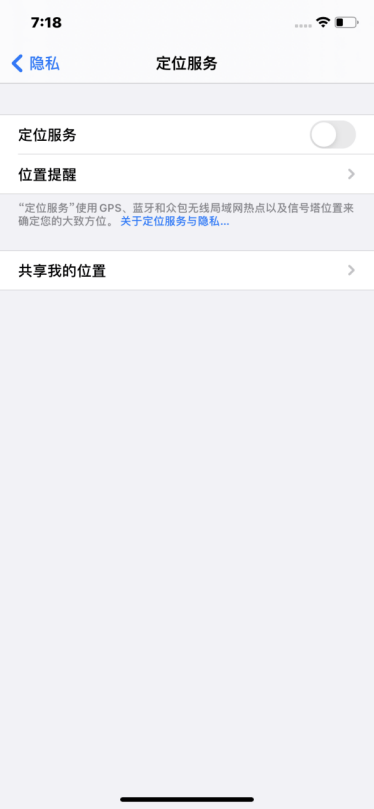
2
Adjust the date, time, language, and region
Under General, set the phone’s date, time, and time zone to match your target country. Choose a language other than Simplified Chinese, preferably the target country’s language. Set the region to your target country.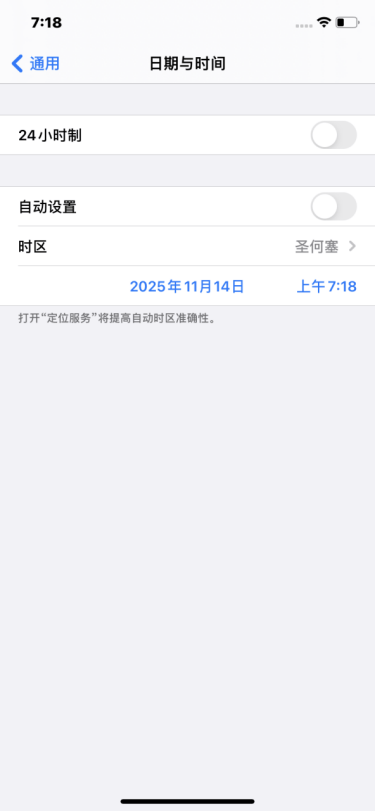
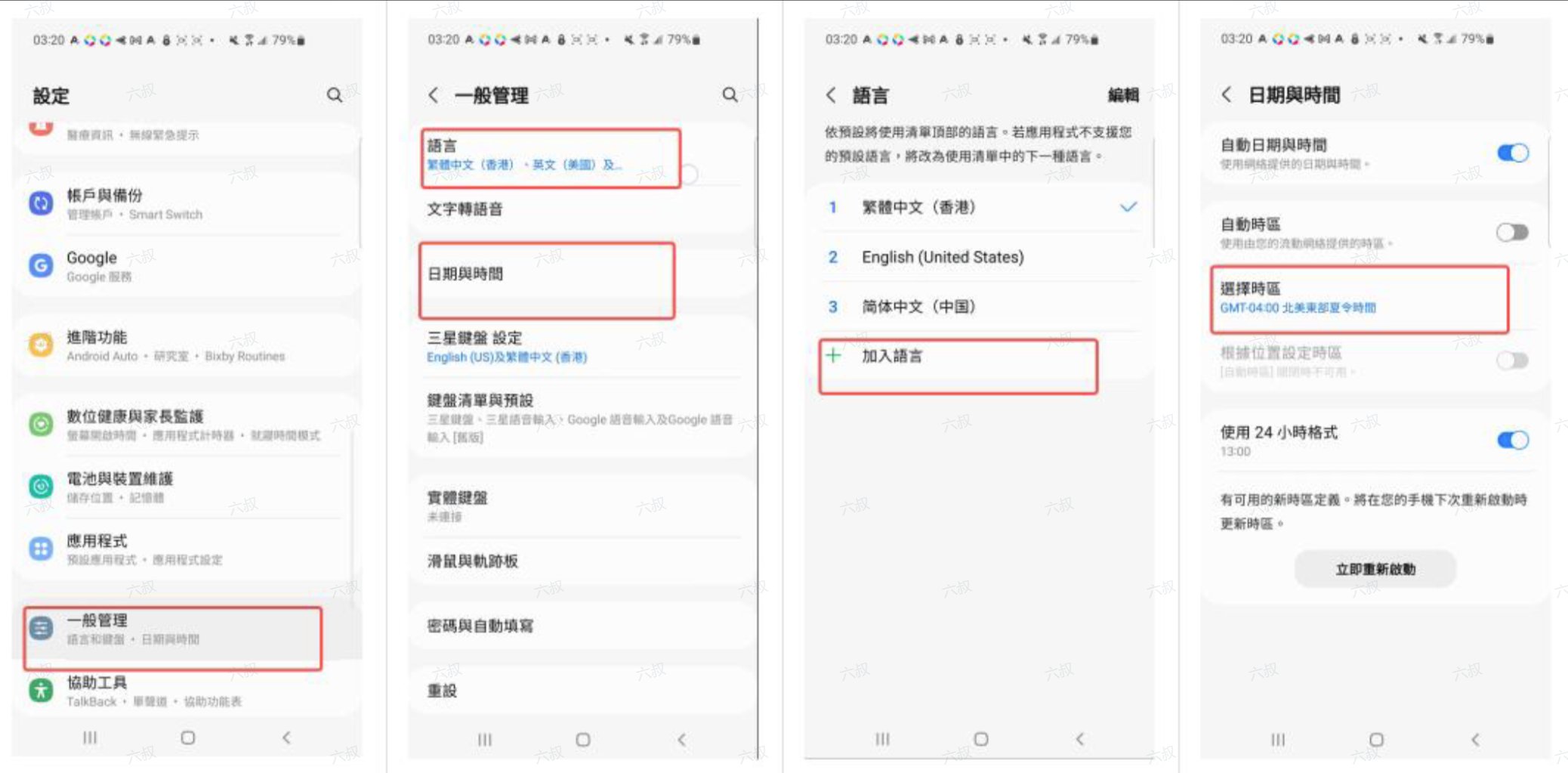
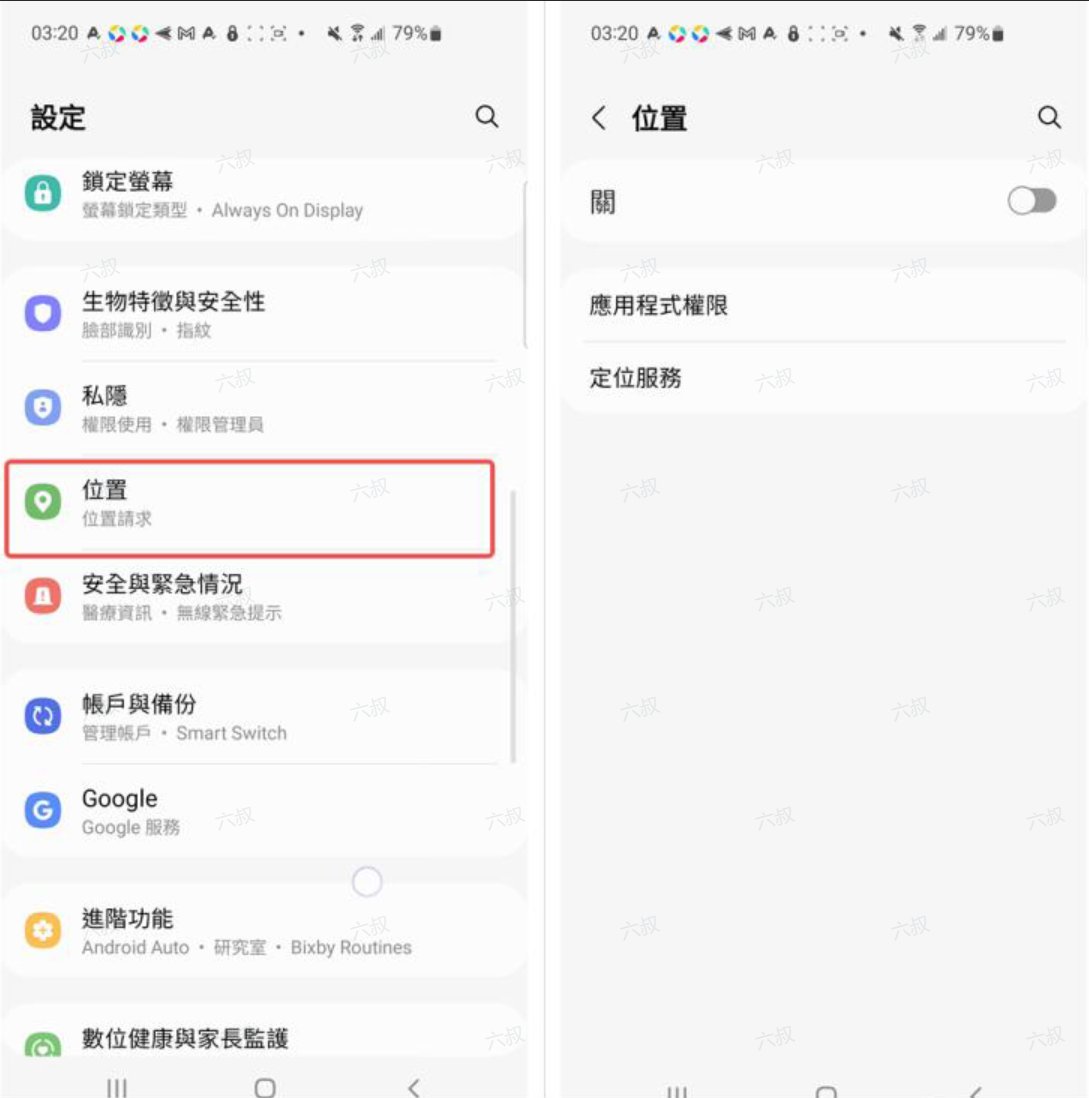
Continue setup
After preparing your device, return to the tutorial guide and choose your proxy mode and client. Once connected, visit whoer.net in your browser and check that the exit IP matches your expectations.For a native proxy, you also need a working overseas network connection and a MiyaIP SOCKS5 node. See proxy modes for the prerequisites.