> ## Documentation Index
> Fetch the complete documentation index at: https://help.miyaip.com/llms.txt
> Use this file to discover all available pages before exploring further.
# Set up a relay proxy on Android with NekoBox
> Prepare your Android phone, scan your MiyaIP relay proxy QR code, and use NekoBox to connect and test latency.
Download and install [NekoBox 1.4.2](https://github.com/MatsuriDayo/NekoBoxForAndroid/releases/tag/1.4.2), then follow these steps to configure your MiyaIP relay proxy.
## Prepare your Android phone
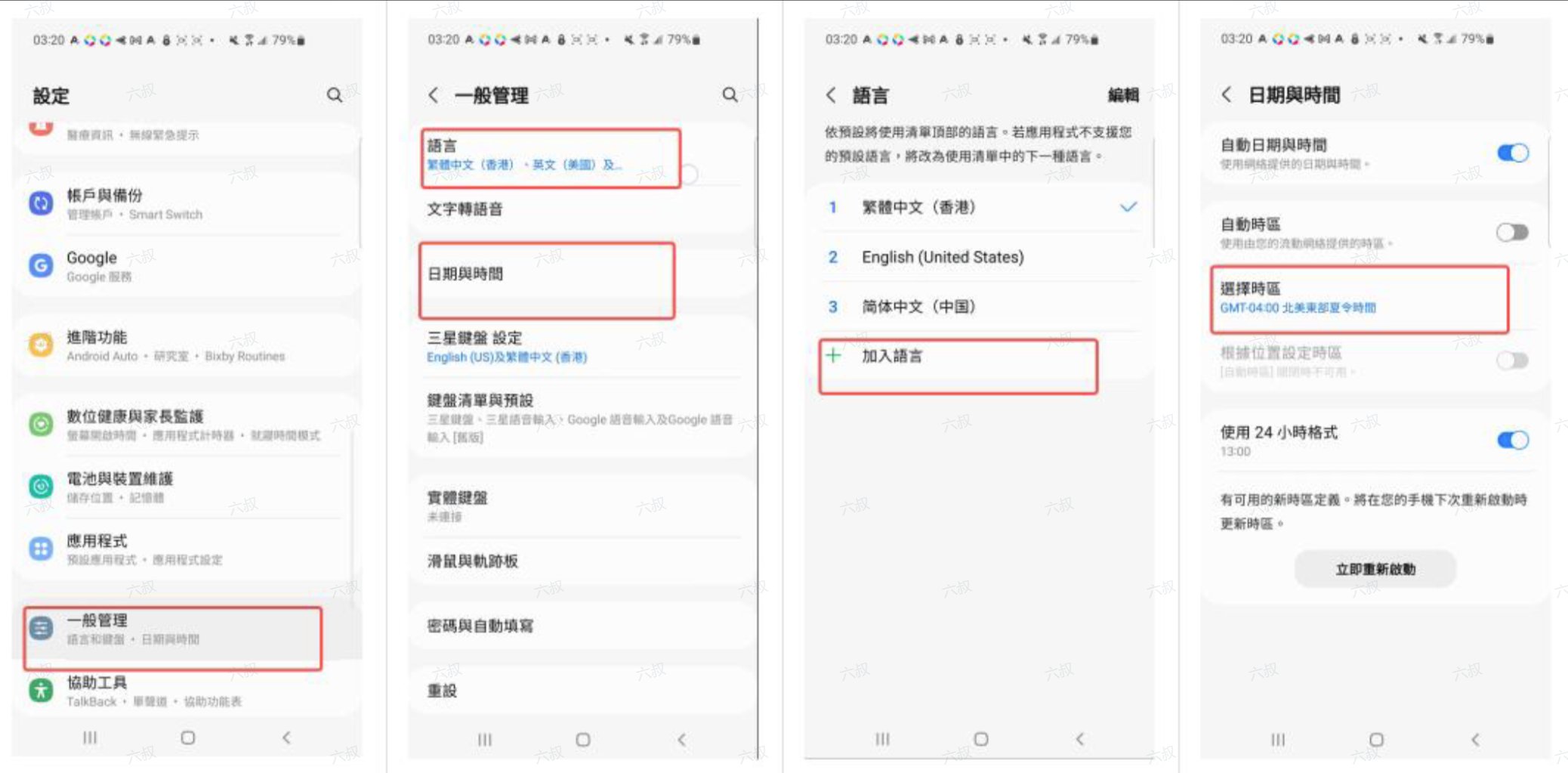
Find **General** and set your phone's date and time to those of your target country or region. Choose a language other than Simplified Chinese, preferably your target country's language, and set the region to your target country or region.
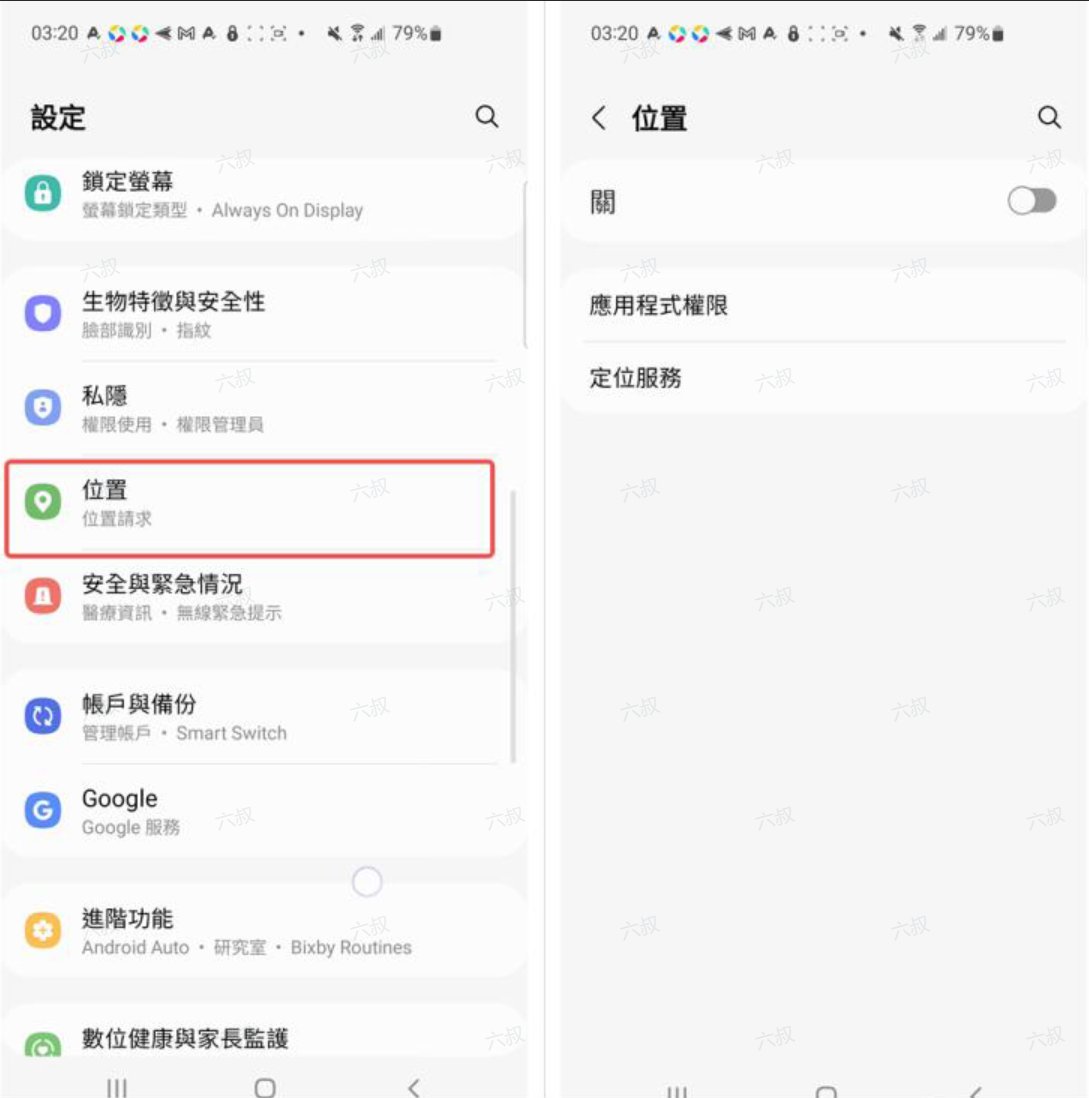
 Find **Location** and turn it off to prevent apps from reading your location.
 ## Connect your relay proxy
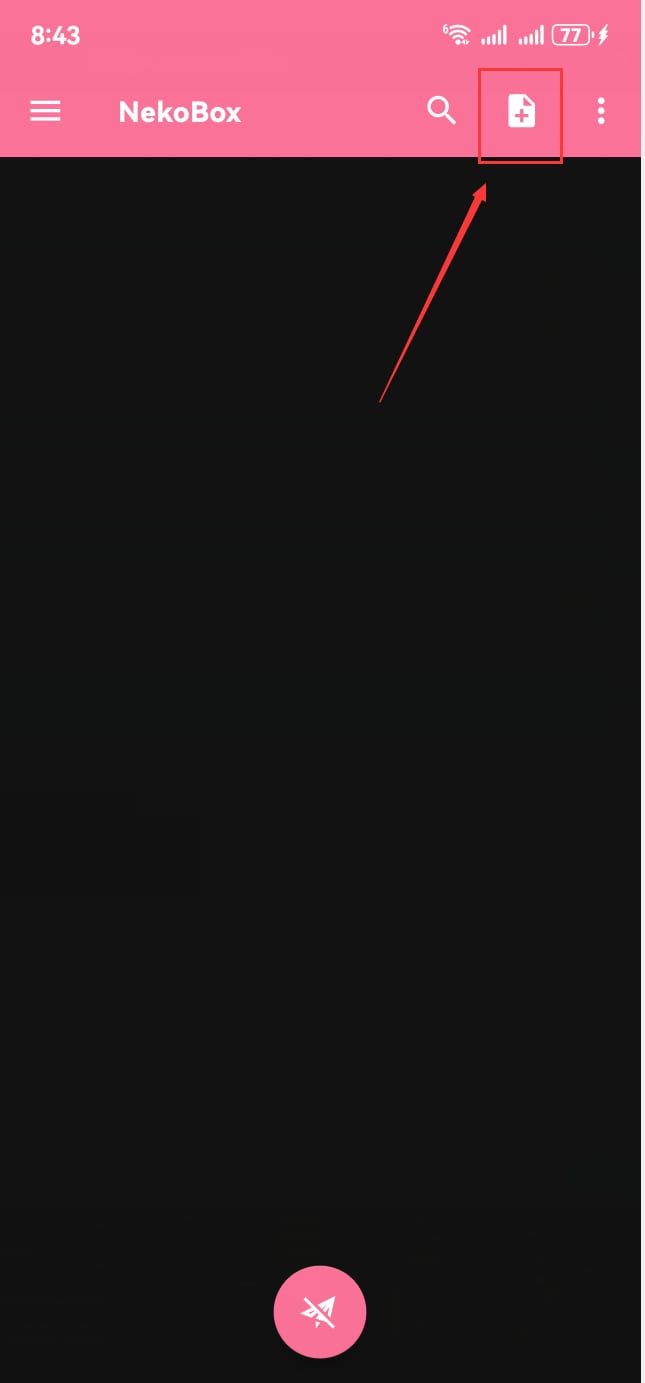
Open the NekoBox home screen and tap the **plus button** in the top-right corner.
## Connect your relay proxy
Open the NekoBox home screen and tap the **plus button** in the top-right corner.
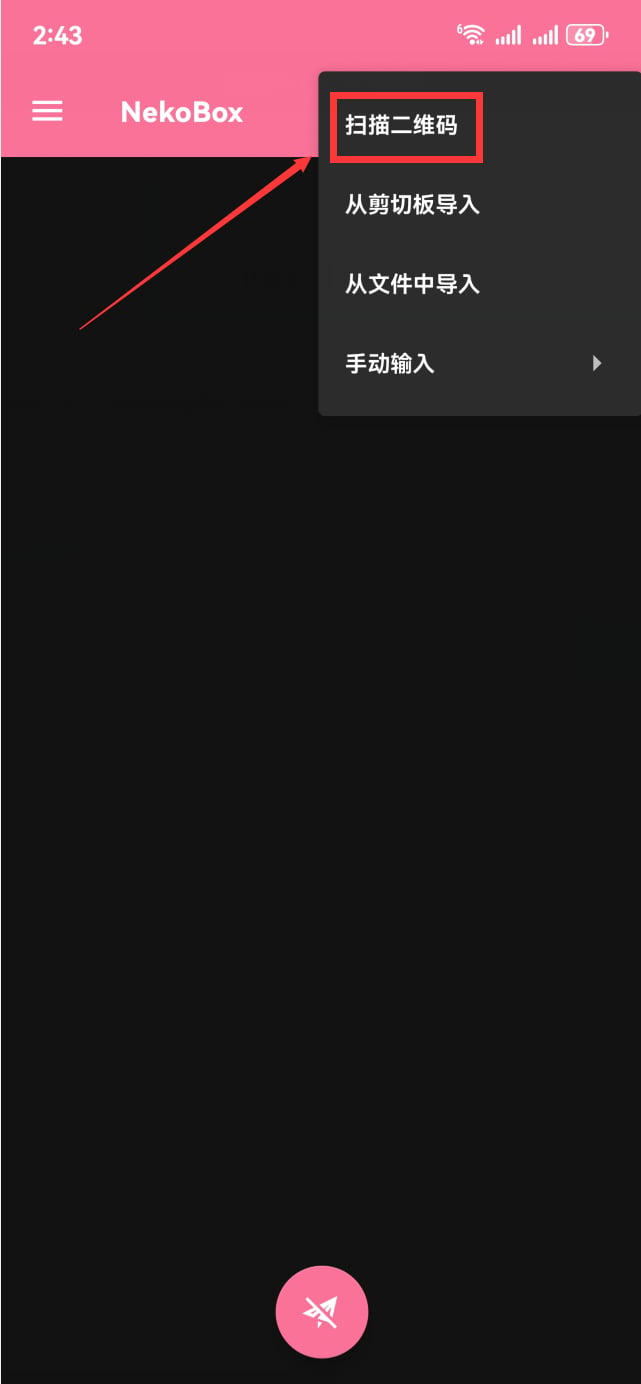
 Select **Scan QR code** from the add menu.
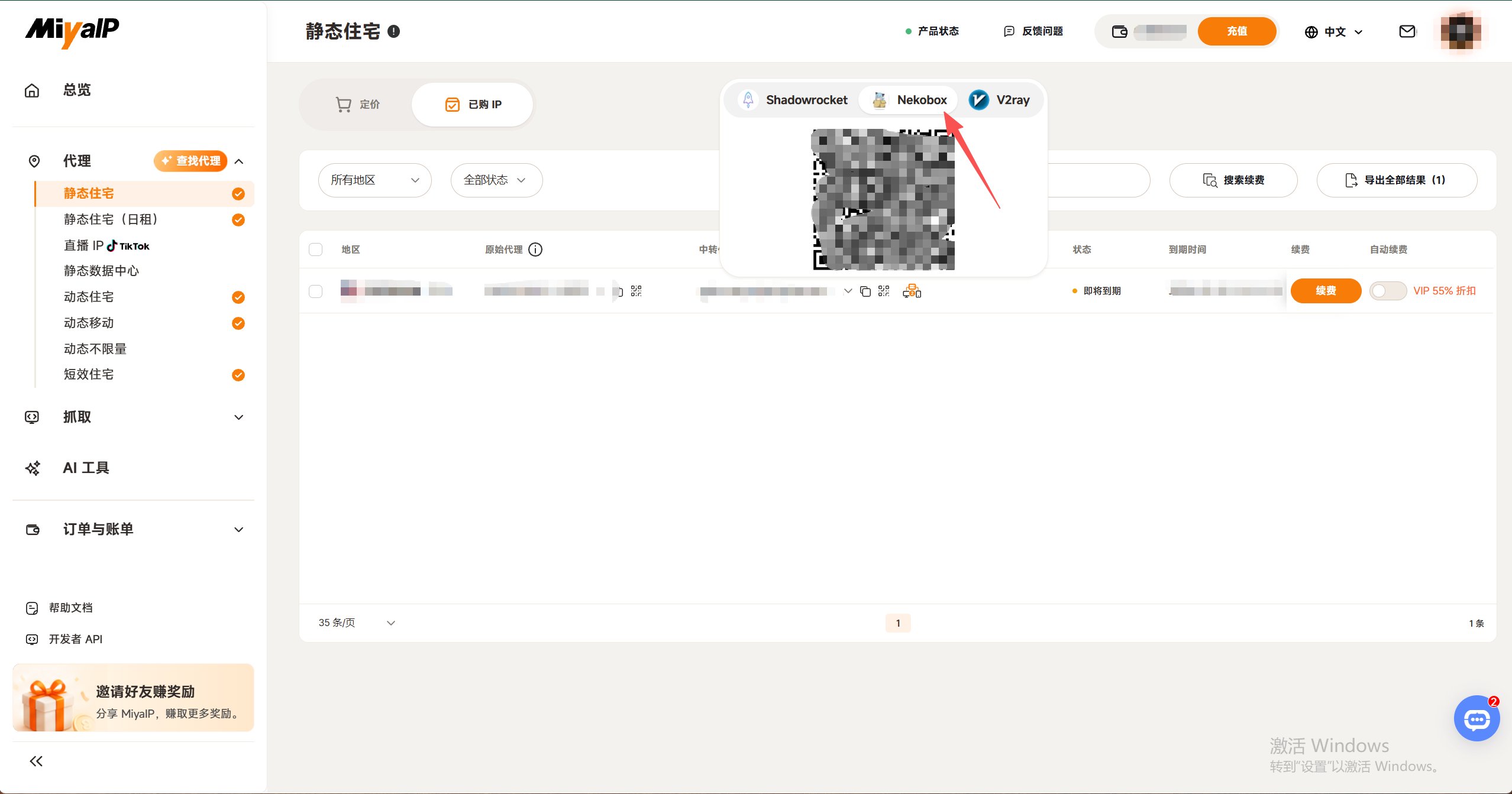
 On the MiyaIP website, open the relay proxy QR code for your purchased IP, select **NekoBox**, and scan its QR code to save the node.
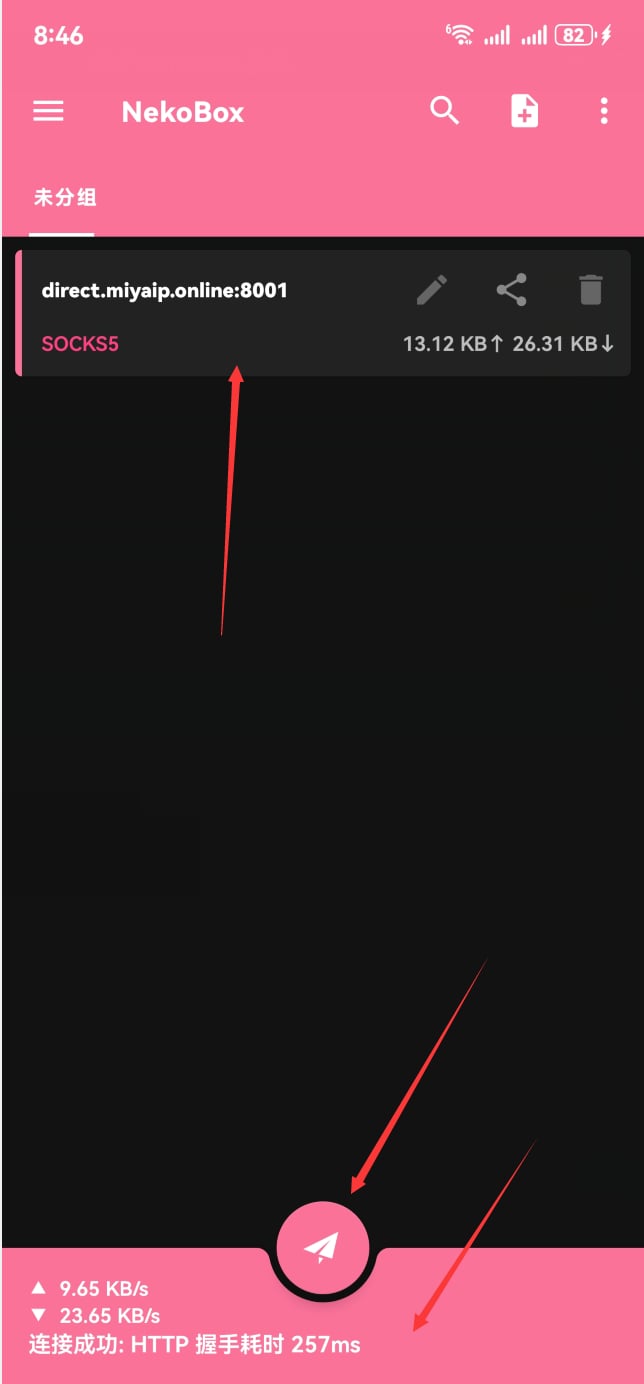
 Select the static node you just saved and tap the **paper plane button** at the bottom to connect. Tap the **pink area** to test handshake latency. If the test fails or times out, turn off the **paper plane button** and reconnect.
 Once connected, open [whoer.net](https://whoer.net) in your browser. Check that the exit IP and region match your configured MiyaIP proxy.
You can also watch the [NekoBox video reference](https://www.youtube.com/watch?v=kToFOqzVfh4\&t=836s).
Once connected, open [whoer.net](https://whoer.net) in your browser. Check that the exit IP and region match your configured MiyaIP proxy.
You can also watch the [NekoBox video reference](https://www.youtube.com/watch?v=kToFOqzVfh4\&t=836s).